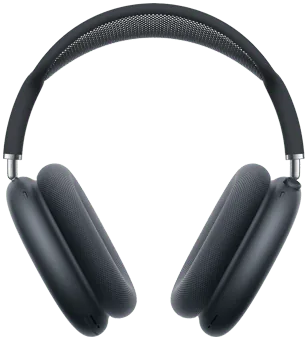
What works on a PC
- Stereo audio and the microphone, through standard Windows Bluetooth
- One battery level for the headphones, which is how the hardware reports it
- Noise Cancellation and Transparency, switched from the PC
- Wear detection, so playback can pause when you take them off
- A ten-band equalizer applied to the Windows output
- Output switching, so audio follows the headphones rather than your speakers
What does not carry over
- Spatial audio with head tracking. It is computed by the Apple device and does not exist on Windows.
- Automatic switching between your Mac, iPhone and PC. Coming back from an Apple device means reconnecting from Windows.
- Separate left and right battery levels. AirPods Max are one battery, not two earbuds and a case.
Why Windows shows so little on its own
Standard Bluetooth carries audio and a handful of transport controls. Battery detail and noise control ride on Apple's own channel, which Windows does not implement.
That is the whole reason a pair that feels rich on an iPhone feels bare on a PC: the hardware is the same, the conversation is not.
Two audio devices, one pair of headphones
After pairing, Windows registers a stereo output for listening and a headset entry with a microphone for calls. Only one is active at a time.
When a call opens the microphone, everything you hear drops to the narrow hands-free mode. Using your laptop microphone for calls keeps the headphones in stereo.
KikuTune on Windows
Battery, output switching, a ten-band equalizer, per-device settings and per-app rules are free, with no account. The paid plan adds model correction and the studio signal path.
Questions people ask
- Can I change Noise Cancellation on Windows?
- Yes, for AirPods Max. KikuTune shows the current mode and switches between Noise Cancellation and Transparency from the PC. On some devices the switch needs the optional Advanced Driver Bridge.
- Why is there only one battery level?
- AirPods Max have a single battery. Earbuds report three levels because they are three devices: left, right and the case.
- Does the equalizer work with AirPods Max?
- Yes. The equalizer applies to the Windows output, so it works with any headphones, and it is part of the free app.