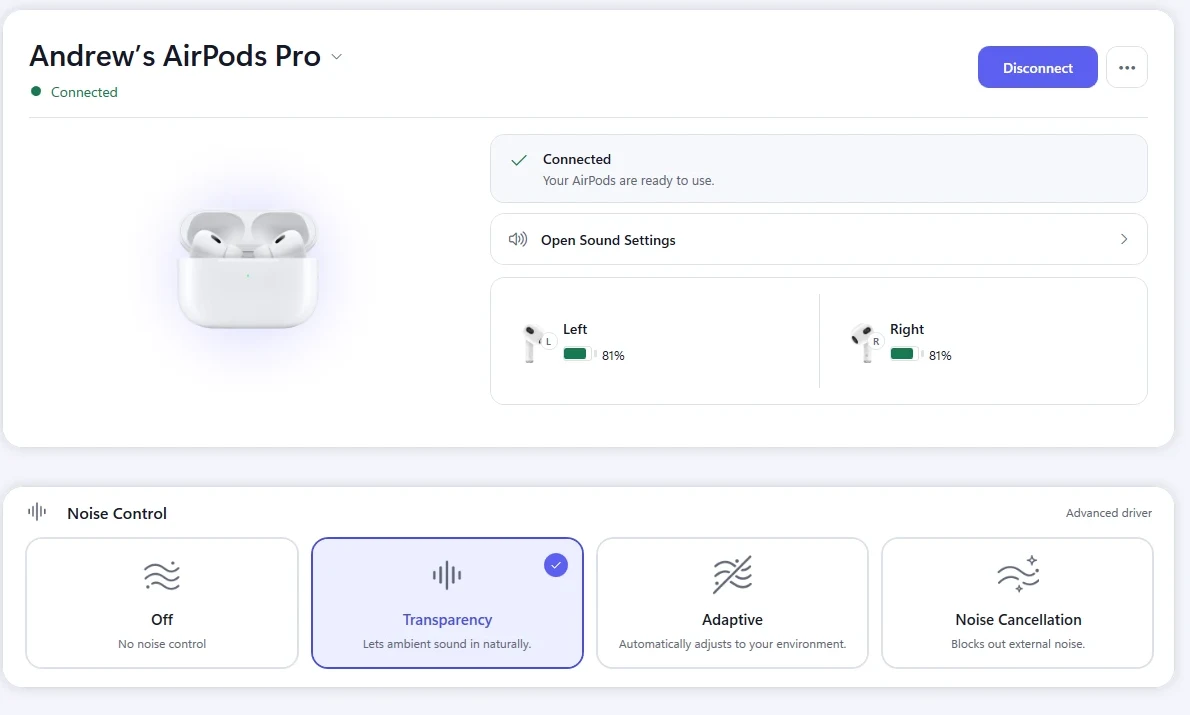
What is actually happening
Bluetooth does define a standard battery service, and some headphones report through it. Apple does not use it for the levels an iPhone displays. Those arrive over a proprietary channel that Windows does not speak.
The result is that Windows either shows no battery at all, or shows a single rough figure that does not match what your phone reports.
Why one number is not enough anyway
Earbuds have three batteries that drain independently: the left bud, the right bud, and the case. A single percentage hides the one that is about to cut out.
This is why a pair can die mid-call while the reported level still looks comfortable.
What you can check without extra software
- 1Open Settings, then Bluetooth & devices.
- 2Find the headphones in the device list and look for a battery figure next to the name.
- 3If nothing appears, Windows has no reading for that device, and no setting will make one appear.
Whether anything shows here depends on the model and its firmware, not on your Windows version.
Why the case level disappears first
The case reports over the same private channel as the earbuds, and it only talks while the lid is open and a bud is inside. Close the lid and the last reading is all anything can show.
That is why a case percentage can look stale: it is the value from the last time the case had something to say, not a live reading.
Levels that jump by ten percent at once
Earbud batteries are small, and the device reports a rounded estimate rather than a measurement. Under load the estimate is recalculated and the number can move in steps.
A level that drops quickly under noise cancellation and recovers after a few minutes in the case is normal behavior, not a faulty battery.
Check the battery without any app
- 1Put both earbuds in the case, close the lid, then open it next to the PC.
- 2Open Settings, then Bluetooth & devices, and look under the device name.
- 3If a figure appears there, Windows read something. If nothing appears after two tries, it has no reading to show and no setting will create one.
A charging case that is nearly empty often reports nothing at all, for the earbuds as well as for itself.
How KikuTune helps here
For supported models, KikuTune reads the left bud, the right bud and the case separately and shows all three at once, so the one that will fail first is visible.
It can also warn you before a level gets low enough to interrupt something. Battery reporting is part of the free app.
Where this does not help
- Support depends on the device. Some headphones report one level, and some report none at all — no app can read a value the hardware does not send.
- Levels are estimates reported by the device, not precise measurements, and they can jump when the device recalculates.